


AI ToonFace - See future face
4.331.00 Reviews
App Specs
- Version
- 1.2.3
- Updated On
- License
- Free
- Downloads
- 10,000+
- Developer
- Rosy Star AI
- Categories
- Art & Design
- Platform
- Android
Screenshots
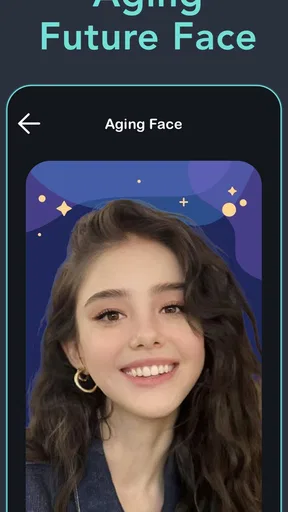
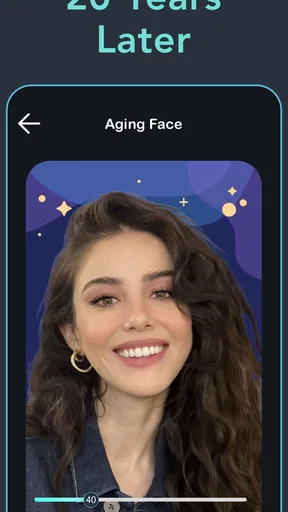
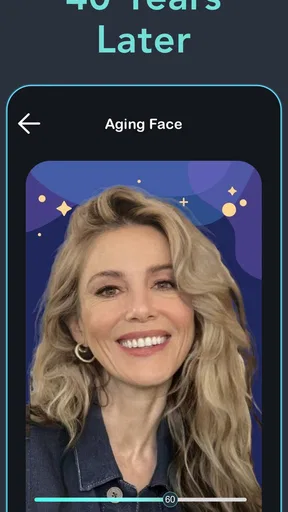
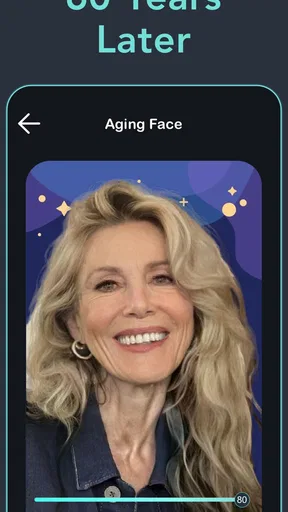
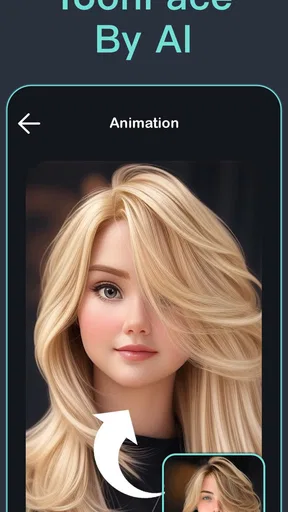
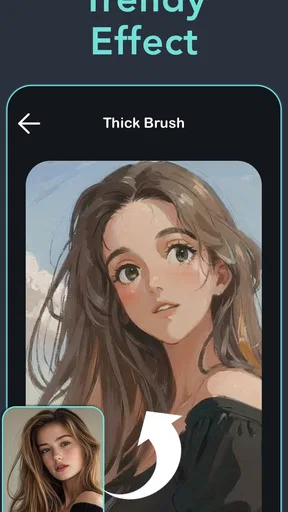
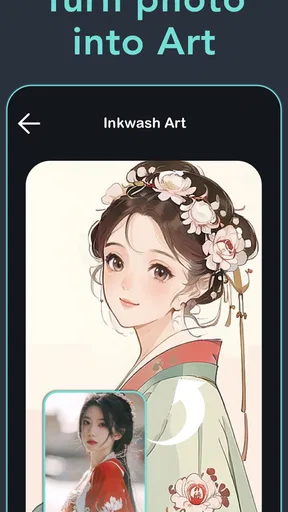
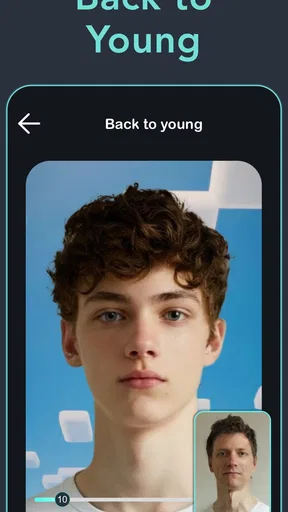
 Analysis by AppCompare
I’d approach AI portrait tools with one simple expectation: the result is an entertaining interpretation, not a reliable forecast. That distinction matters with AI ToonFace - See future face, which is aimed at people who want a playful future-looking portrait as well as cartoon-style art. I would use it for a laugh, a profile-picture experiment, or a shared conversation starter—not to make serious claims about how anyone will look years from now.
Where the experience can snag
For an app built around selfies, the first hurdle is often the photo rather than the buttons. A face partly hidden by hair, a strong shadow, or a busy background can make a transformation feel less convincing. I’d start with a recent, well-lit picture where the face is easy to see, then compare the result with a second photo only if the first one looks noticeably off. That small check helps separate a weak input from a style that simply isn’t to your taste.
There is also a difference between an aging effect and a future prediction. An AI-generated image can suggest wrinkles, texture, or a different overall look, but it cannot know how a person’s face will change. I find that framing useful when sharing the result: call it an imagined version, not a forecast. That keeps the fun intact without asking the image to prove more than it can.
Simple checks before making a portrait
AI ToonFace is an Art & Design app from Rosy Star AI, and it is free to install, though in-app purchases are offered at different price points. Before spending anything, I’d check which options are available without payment and whether the particular style I want is included. The app has an Everyone age rating, but anyone choosing or sharing a face photo should still use ordinary care, especially when the image belongs to a child or another person.
It is also worth checking the basics if a screen does not behave as expected: make sure the device meets the app’s minimum operating-system requirement, use a stable connection if image processing stalls, and give the app a moment before trying the same action again. The current version is 1.2.3. These are sensible first steps, not a promise that every delay has the same cause.
Recovering from a result that misses the mark
If the generated portrait looks strange, I would not immediately keep tapping the same photo and hoping for a better outcome. First, try a clearer, front-facing image with even light; then decide whether the issue is the source photo or the artistic treatment. A deliberately expressive selfie may suit a cartoon transformation, while a neutral expression is usually a more useful starting point if you want to judge facial resemblance.
For a shareable result, I’d also inspect the image before sending it anywhere. A transformation can be funny in a private chat but less welcome as a public profile picture, and an AI effect may alter details that friends recognize. Saving a version for yourself first gives you time to choose the right audience rather than sharing on impulse.
Worth Reading Before You Choose

Baby Panda World Brings Quick Play to Modern Phones, but Its Game Library Feels Busy

ESPN’s Live Game View Makes Following Close Games Easier

QuizzLand Review: A Good Fit for Short Trivia Breaks, Not Every Player

Basketball Stars: Multiplayer Is Fast, but Can It Recover When Matches Go Wrong?

WEBTOON Turns Phone Updates Into a Better Reading Routine

Link to Windows Runs on Shared Habits, Not Social Feeds
When the phone or the photo is the issue
Not every failed attempt points to the app. A weak connection can interrupt an online image task, while an older device or an unsupported system version can limit what runs smoothly. If the app opens but a portrait does not complete, I’d check the connection and retry once with a smaller, clearer image before changing several settings at random. If the same problem continues, restarting the app or checking for an available update is a more useful next step than repeatedly submitting the same selfie.
Photo choice also affects how fair the result feels. Very dark lighting, a side profile, sunglasses, or several faces in the frame can make it harder to judge whether the transformation has captured the person you intended. A plain, evenly lit selfie is a practical baseline; after that, you can experiment with more unusual pictures for amusement.
Getting Started with AI ToonFace
First things first, downloading AI ToonFace - See future face is a breeze. Available on both Android and iOS, it’s just a quick search and tap away in your respective app store. Once you’ve got it on your device, the setup is straightforward—no need to jump through hoops or fill out long forms. The app greets you with a friendly, intuitive interface that’s easy to navigate even if you’re not tech-savvy. You’ll be snapping and transforming selfies in no time!
The Fun Part: Transforming Your Selfie
Now, onto the good stuff—seeing your future face! The app uses an advanced AI algorithm to add a few years to your look. Simply upload a selfie, and in a matter of seconds, you’ll have an image that shows what you might look like in the future. The results can be surprisingly realistic. The AI takes into account various factors like skin tone, facial features, and even little details like freckles or moles.
It’s not just about predicting age; the app offers a variety of filters and styles to play around with, including cartoon and art-inspired transformations. Want to see yourself as a comic book character? Or maybe with an art deco twist? AI ToonFace has got you covered.
User Experience and Interface
One thing I really appreciate about this app is how user-friendly it is. The interface is clean and minimalistic, with just enough guidance to help you get the most out of the features without overwhelming you. It’s clear the developers put a lot of thought into making this app accessible to everyone, regardless of tech experience.
Another neat feature is the ability to share your transformed images directly from the app to your favorite social media platforms. Whether you want to share a laugh with friends or just show off your futuristic look, AI ToonFace makes it super easy.
Privacy Concerns?
In a world where data privacy is a hot topic, I know some folks might be concerned about what happens to their photos. Rest assured, AI ToonFace has a clear privacy policy. Your images are not stored on their servers for long; they’re deleted shortly after processing. This means you can enjoy the app’s features without worrying too much about your data being misused.
Why You Should Try AI ToonFace
If you’re into apps that are not only fun but also a little bit magical, AI ToonFace - See future face is definitely worth checking out. It’s a combination of cutting-edge technology and creativity wrapped into a user-friendly package. Whether you’re looking to satisfy your curiosity, entertain friends, or just have a good laugh, this app delivers.
So, why not give it a try? It’s a fun way to see a different side of yourself—or should I say, a future side. With its ease of use, creative options, and commitment to privacy, AI ToonFace offers a delightful experience that’s hard to resist. Go ahead, take a peek into the future!
A realistic way to fit it into your day
A practical use is a low-stakes group chat moment. If friends are already trading profile-picture ideas, I’d make a future-style portrait, pick one cartoon treatment, and share only the version that feels comfortable. It gives the image a clear purpose and avoids turning the app into a long session of testing every possible look. For a family gathering, the same idea can work as a conversation starter, provided everyone whose photo is used is happy to join in.
It can also be useful when you want a quick creative prompt rather than a finished design. I might use a generated portrait to decide whether I prefer a more illustrated look for an avatar, then make a separate, carefully edited image in a general photo or drawing app. That division of labor is sensible: AI ToonFace is the playful transformation step, while a dedicated editor is better when you need precise cropping, typography, layered composition, or detailed retouching.
Choosing it over other portrait tools
Compared with a standard photo editor, this app is more about changing the overall character of a selfie than giving you fine control over each adjustment. That makes it approachable when you want an immediate visual surprise, but less suitable if you care about exact color correction or want to tune every detail yourself. General-purpose AI image tools can offer broader creative freedom, while conventional filters are often quicker for simple color changes. I’d choose this app when its future-face and toon-art angle is the point, not when I need an all-purpose studio.
There is a trade-off between speed and consistency, too. A stylized portrait may be more enjoyable even if it does not preserve every facial detail; a realistic-looking result can be more compelling but also invites people to treat it as a prediction. I’d judge each output by whether it works as an image, not by whether it appears to describe a person’s actual future.
What to expect before paying or sharing
The app is free to install, but optional purchases range from $5.99 to $159.99 per item. That is a wide span, so I would look closely at the exact purchase screen and what it says is included before confirming anything. If all you want is to try one portrait, there is no reason to assume a paid option is necessary; if a desired style or action is restricted, decide whether that specific extra is worth its cost rather than buying on the strength of a preview.
Its audience is broad: the app has more than 10,000 installs and an average rating of 4.3 from 183 ratings, with 31 written reviews. Those figures suggest people are using it, but they do not tell me whether a particular generated face will suit my photo or taste. I’d treat them as background context, then make my own decision from a careful first test.
Because the central input is a face photo, I’d also be thoughtful about consent and expectations. Use your own picture, or ask before transforming someone else’s; avoid presenting an altered portrait as an authentic photograph. The app’s age classification is Everyone, but that does not replace a parent’s judgment about a child’s image or where it may be shared. And while the earlier description of photo handling sounds reassuring, I would still read the current privacy information in the app before uploading anything sensitive.
Who will enjoy it, and who should pass
I’d recommend giving it a try if you like playful portrait experiments, want a quick cartoon-style image, or enjoy comparing different artistic versions of a familiar selfie. The app is especially appealing when the goal is a lighthearted result you can show to willing friends, rather than a polished asset for work. Its stated release date is April 9, 2025, and the current version is 1.2.3, so checking that you have a compatible system and the latest available build is a sensible starting point.
I would skip it if you need an accurate age progression, professional-grade portrait retouching, or dependable control over every visual detail. It is also a poor fit if you are uncomfortable uploading face images to an AI service, or if you need a result whose appearance can be reproduced exactly later. Those are not flaws that a few extra attempts can fix; they are mismatches between the app’s playful purpose and a more demanding use case.
My practical verdict
My recommendation is to approach it as a small creative toy with a specific focus: turn a selfie into an imagined older-looking face or a more illustrated portrait, then decide whether the result is worth keeping. Start with a clear image, check the output before sharing, and be deliberate about any purchase. If those boundaries fit what you want, the app offers an easy way to make a familiar photo feel new. If you need factual prediction or detailed editing, a different kind of tool will serve you better.
Pros
- Easy to use interface for quick results.
- High accuracy in aging predictions.
- Offers multiple filters for variety.
- Fast processing with minimal lag.
- Integrates well with social media.
Cons
- Limited free features; in-app purchases required.
- Occasional ads can disrupt experience.
- Some results may appear unrealistic.
- Requires internet for most features.
- Limited customization options for users.
FAQs for AI ToonFace - See future face
What is AI ToonFace, and how does it work?
AI ToonFace is an innovative app that uses artificial intelligence to transform your selfies into cartoon-like portraits. By leveraging advanced algorithms, it analyzes facial features and applies unique filters and artistic effects to produce a futuristic and playful version of your face. The app aims to provide users with a fun and creative way to explore their appearance through different artistic lenses.
Is AI ToonFace free to use, or are there in-app purchases?
AI ToonFace is free to download and offers a range of basic functionalities at no cost. However, to access premium features and additional artistic styles, users may need to make in-app purchases or subscribe to a premium version. This can unlock more advanced filters and customization options, enhancing the overall experience.
Is my data safe when using AI ToonFace?
AI ToonFace takes user privacy seriously and implements security measures to protect your data. The app typically requires access to your camera and photo library to function. It's advisable to review the app’s privacy policy to understand how your data is collected, used, and stored. The developers strive to ensure that your personal information remains secure.
Can AI ToonFace be used offline?
AI ToonFace requires an internet connection to access its full range of features. The app's AI-driven transformations are processed on external servers, necessitating connectivity. However, once images are processed, they can be saved locally to your device for offline viewing and sharing. An internet connection is essential for initial image processing.
Are there any device requirements for installing AI ToonFace?
AI ToonFace is available for both Android and iOS platforms. The app is designed to run smoothly on most modern smartphones and tablets. However, for optimal performance, it is recommended to use devices with updated operating systems and sufficient processing power. Check the app’s download page for specific OS version requirements and compatibility details.


